
Thermals on the map
| Platform | Status | Where |
|---|---|---|
| iOS | done | vulture-ios/Modules/App/Sources/Map/Extensionsvulture-ios/Modules/App/Sources/Map/Flight/Thermalvulture-ios/Packages/Flights/Sources/Flights/Enricher/FlightPhasesEnricher.swift |
| Android | done | vulture-android/domain/flightvulture-android/feature/flightmapvulture-android/feature/flightdetailFIXED(Q8) relative strength and vario maxima. |
Behaviour
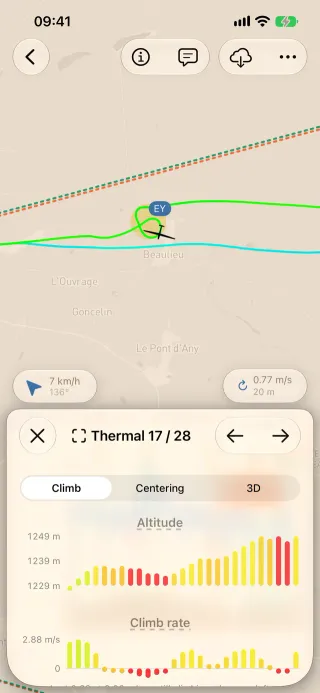
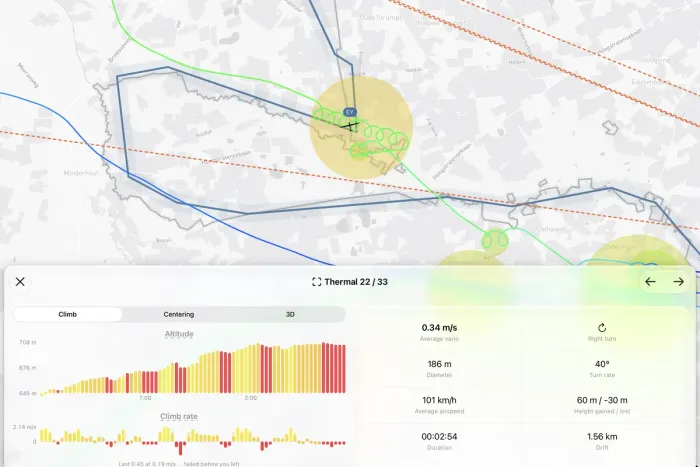
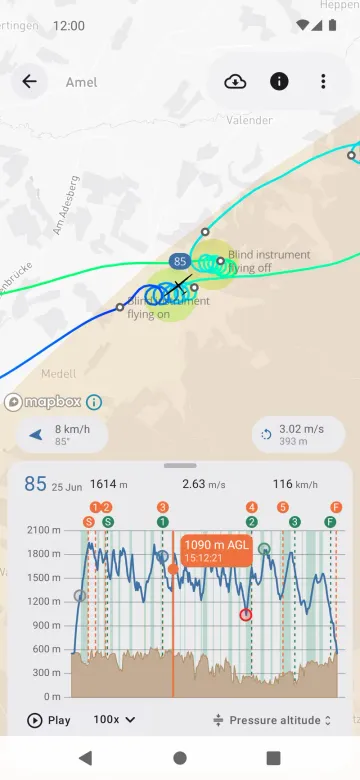
Section titled “Behaviour”- Thermal circles, thermal attempts and the altitude gained are drawn on the map and as bands on the barogram.
- Go to › previous, next or nearest thermal moves through them.
- The Thermals page of the detail gives left and right thermal counts, the best vario and average climbs.
- Thermals on the map are free; tapping one opens the thermal sheet, which needs Pro.
Platform differences
Section titled “Platform differences”- Vario maxima start at minus infinity and the relative strength is 0 when no thermal climbed (Q8), on both platforms now.
- Both platforms label the left/right average vario explicitly (B28).