
Airspace infringements
| Platform | Status | Where |
|---|---|---|
| iOS | done | vulture-ios/Packages/FlightScreens/Sources/FlightScreens/AirspaceInfringementsvulture-ios/Packages/FlightScreens/Sources/FlightScreens/FlightDetailvulture-ios/Packages/AirspaceAirspace+Crossing.swift |
| Android | done | vulture-android/domain/airspacevulture-android/feature/flightdetailvulture-android/feature/flightmapFIXED(B6), FIXED(B38), FIXED(B39). Only the selected flight is scanned (P6-D6). |
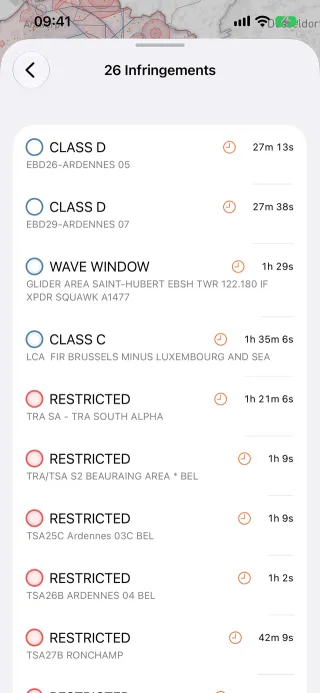
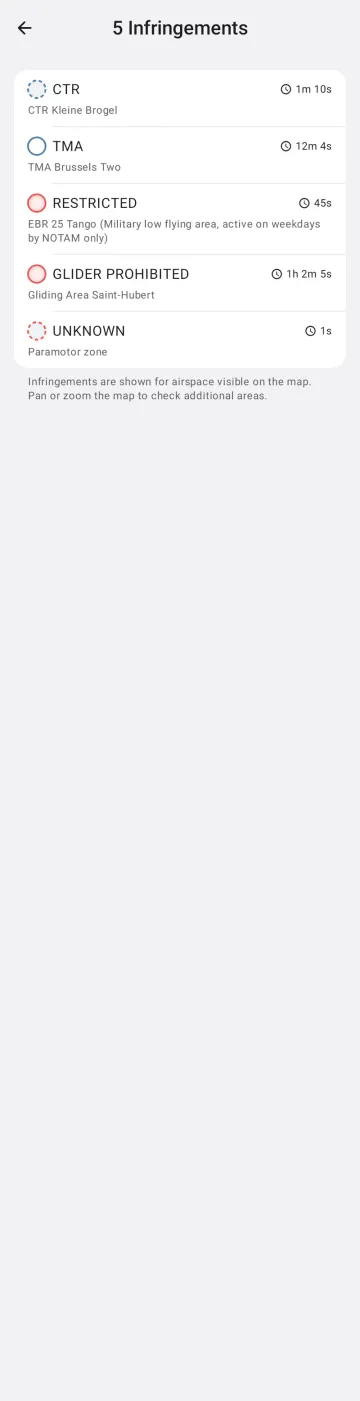
Behaviour
Section titled “Behaviour”- After import, the track is checked against the airspace shown (openAIP or your own files).
- The detail’s Airspace row opens an Infringements page with each crossing and its vertical detail.
- “Center infringements” in Go to highlights them on the map.
Platform differences
Section titled “Platform differences”- Android uses the right altitude reference, AGL or pressure (B6, done on iOS), merges openAIP fragments before the scan (B38) and reads only the airspace source that is shown (B39).
- Android scans only the selected flight; iOS scans every flight on the map (P6-D6).