
Connected services
| Platform | Status | Where |
|---|---|---|
| iOS | done | vulture-ios/Packages/SettingsScreens/Sources/SettingsScreens/Servicesvulture-ios/Modules/App/Sources/Services/ConnectedServices.swiftCredentials in the Keychain. |
| Android | done | vulture-android/feature/servicesvulture-android/data/credentialsTink + Keystore, never synced, not backed up. SkySight (clouds only) built on main 2026-10-19, not released yet. |
Behaviour
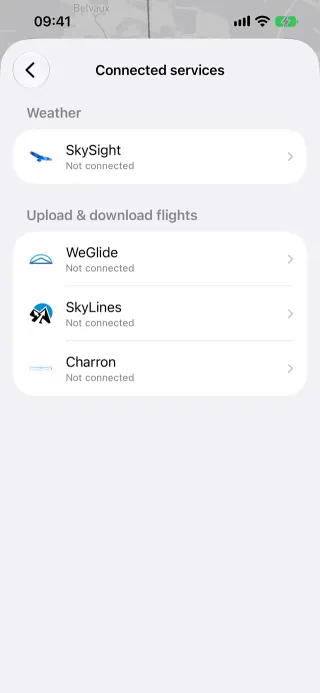
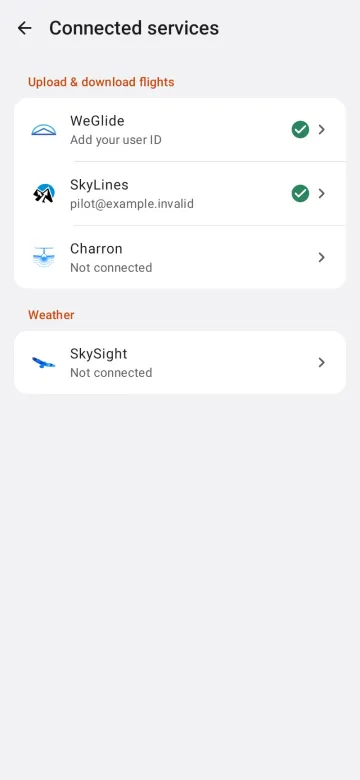
Section titled “Behaviour”- One screen for the accounts: WeGlide (API key, user ID, date of birth), SkyLines (username and password), SkySight (username and password) and Charron.line (username and password).
- Connecting is free; what the accounts are used for may need Pro (uploads, SkySight).
- Credentials stay on the device.
Platform differences
Section titled “Platform differences”- Android’s SkySight screen holds only what the satellite clouds use: no opacity slider, no “Remember current weather” (analysis). A refused sign-in keeps the stored account; the session key is not stored.
- Android keeps credentials in a Tink-encrypted DataStore in
noBackupFilesDir, never synced and not backed up.
Related
Section titled “Related”- WeGlide, SkyLines, Charron.line, SkySight forecasts
- Persistence and settings §5
- Integrations §8 (secrets inventory, names only)