
Browser: open in Vulture
| Platform | Status | Where |
|---|---|---|
| iOS | done | vulture-ios/Modules/Safari/Sourcesvulture-ios/ChromeSafari Web Extension; Chrome extension v1.0.1. |
| Android | done | vulture-android/app/src/main/kotlin/be/fousa/vulture/servicesvulture-android/app/src/main/AndroidManifest.xmlShare target and unverified VIEW filters (decisions §17). |
| Web | done | vulture-web/views/index.hamlvulture-web/views/privacy.haml |
Behaviour
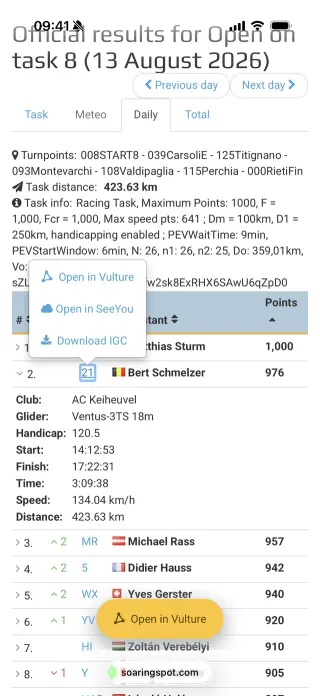
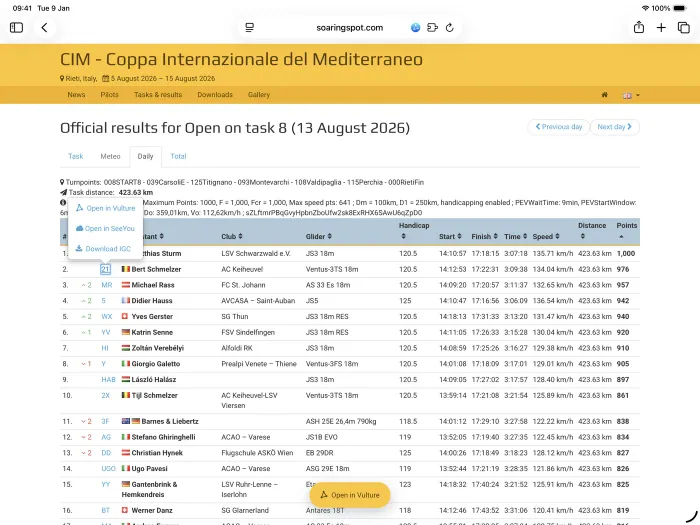
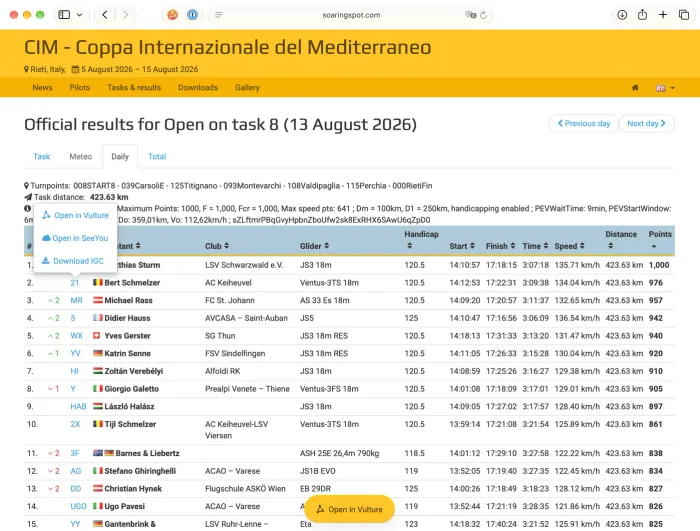
Section titled “Behaviour”- On Soaring Spot daily, total and task pages and on Charron.line flight pages, Vulture offers an Open in Vulture action.
- Safari (iOS, Mac): a Web Extension shipped in the app adds the buttons and emits universal links.
- Chrome (desktop): an extension with the same content scripts writes
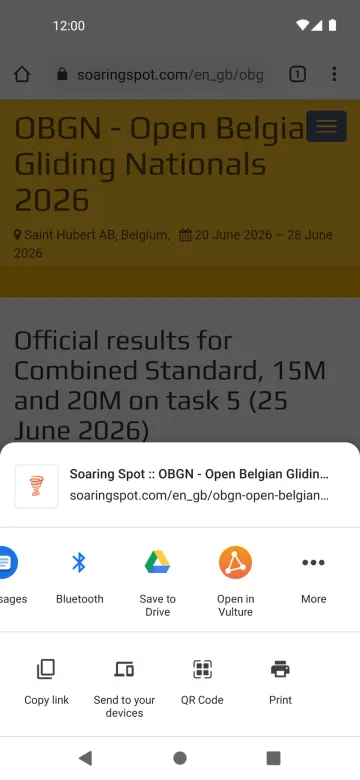
vulture://open/…links. Localised in the 8 languages. - Android: Chrome has no extensions, so Vulture is a Share target (“Open in Vulture”) and also declares unverified
VIEWfilters for soaringspot.com, lvzc.be and charronline.be.
Platform differences
Section titled “Platform differences”- The Android approach is Android only and replaces the browser extensions (decisions §17, owner to confirm).
- The unverified links need “Open supported links” on Android 12+; until then they land on the web’s
/open/*page. - The website lists the Chrome Web Store and Safari extensions; a Chrome-on-Android FAQ entry is requested (ios-changes A5).