
WeGlide
| Platform | Status | Where |
|---|---|---|
| iOS | done | vulture-ios/Packages/WeGlidevulture-ios/Packages/ImportScreens/Sources/ImportScreens/ImportFlightsvulture-ios/Packages/SettingsScreens/Sources/SettingsScreens/Services/WeGlidevulture-ios/Modules/App/Sources/Support/Upload/WeGlide |
| Android | done | vulture-android/data/weglidevulture-android/feature/serviceflightsvulture-android/feature/uploadvulture-android/feature/servicesFIXED(B1), FIXED(B5). B43 rejected (PARITY). No public feed (P7-D18). |
Behaviour
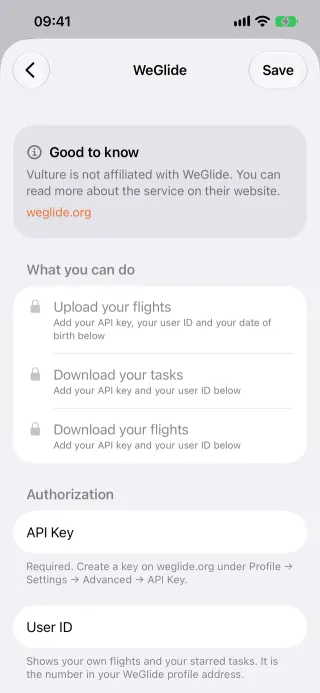
Section titled “Behaviour”- Account: connect WeGlide with an API key, then your user ID and date of birth. Each step unlocks more: browsing, your own flights, uploads.
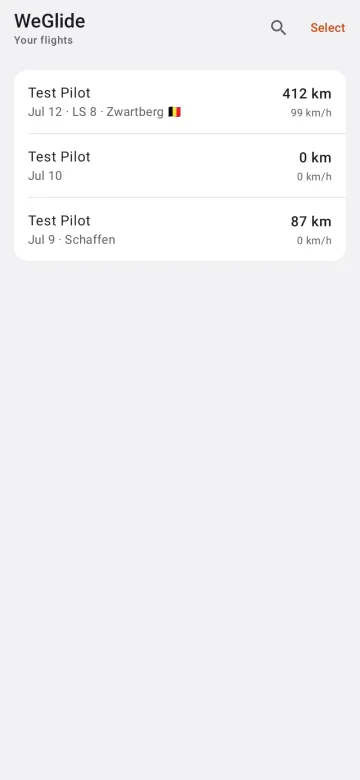
- Browse and download: your own flights or the public feed; a flight opens on the map and can be saved to the logbook.
- Upload (Pro,
uploads): sends the IGC, sets the comment “Uploaded with Vulture” and uploads the flight’s photos as a WeGlide story. - Tasks from WeGlide are covered in Task import.
Platform differences
Section titled “Platform differences”- Android uses the calendar year instead of the week-based year (B1) and dropped the WeGlide pin (B5); both are done on iOS.
- B43 was rejected and kept as
PARITY: without a user ID the list shows the latest uploads. - Android has no WeGlide feed, stories or daily lists (P7-D18). It records the WeGlide flight ID after an upload (Android only, P7-D16).
- Android stores the credentials with Tink and the Keystore, never synced or backed up.