
Support and about
| Platform | Status | Where |
|---|---|---|
| iOS | done | vulture-ios/Packages/SettingsScreens/Sources/SettingsScreens/Settings/Mainvulture-ios/Modules/App/Sources/Services/System/Review.swift |
| Android | done | vulture-android/feature/settingsRate opens the Play listing, not In-App Review. |
| Web | done | vulture-web/views/faq.hamlvulture-web/views/privacy.hamlvulture-web/views/terms.haml |
Behaviour
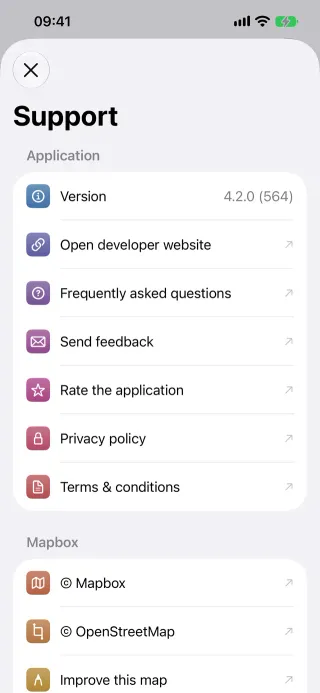
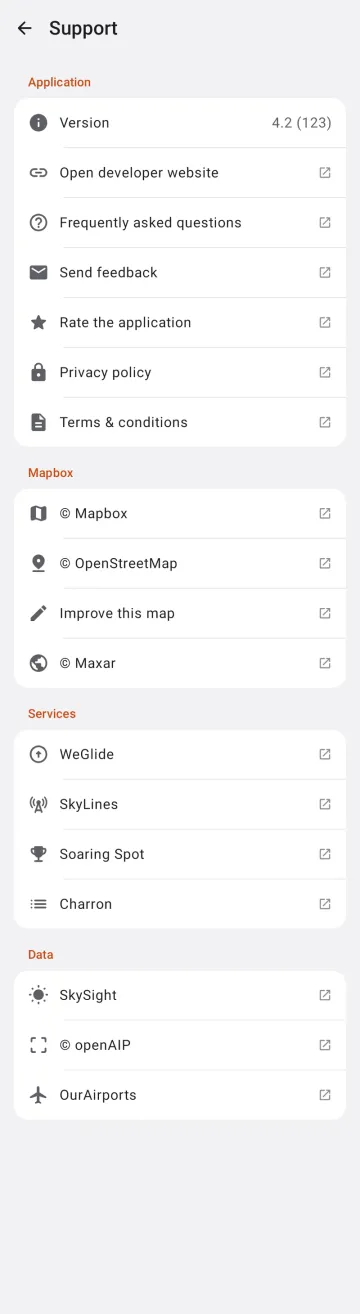
Section titled “Behaviour”- Version, website, FAQ, feedback, rate, privacy, terms and data credits.
- Reached from the last row of Settings, on Android and on iPhone and iPad; the Library’s ⋮ menu (Android) and the iOS sidebar’s ⋯ menu became a Settings button (Support in Settings). On the Mac from Help › Support.
- iOS asks for an App Store review after a number of triggers per version.
- The pages live on vulture.aero in the same 8 languages as the apps.
Platform differences
Section titled “Platform differences”- The Data section credits the data sources each app uses. iOS: Aviation Weather, SkySight, openAIP, sunrise-sunset and OurAirports. Android: SkySight, openAIP and OurAirports (since 2026-10-20, for the bundled airports table), in iOS’s order; it has no weather or sun times (P9-D3).
- The Mac’s Settings window has no Support row: Help › Support is the Mac’s way in (since unreleased).
- Android’s Rate opens the Play listing instead of In-App Review. Whether Android asks for a review by itself is not verified (it keeps
reviewTriggerCountas a local key). - The FAQ has no Chrome-on-Android entry yet (ios-changes A5).
Related
Section titled “Related”- Settings overview, Privacy and telemetry
- Flight detail (Report issue)