
Cloud sync
| Platform | Status | Where |
|---|---|---|
| iOS | done | vulture-ios/Packages/Persistence/Sources/Persistence/DataManager.swiftvulture-ios/Packages/Persistence/Sources/Persistence/GroupPersistentCloudKitContainer.swiftiCloud (CloudKit), container iCloud.be.fousa.vulture.cloud. |
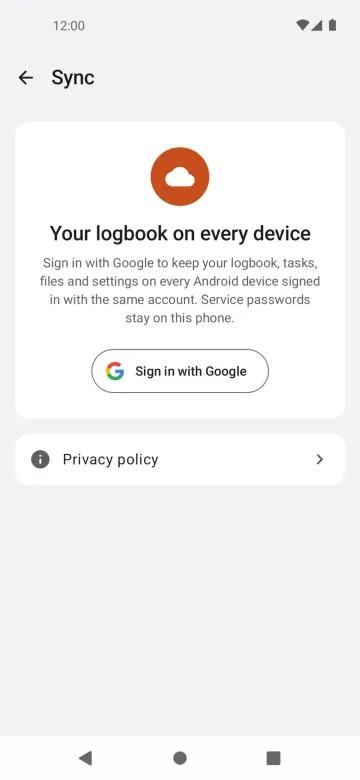
| Android | done | vulture-android/domain/syncvulture-android/data/syncvulture-android/data/firebasevulture-android/firebaseFirebase (Firestore + Cloud Storage); sign-in optional. |
Behaviour
Section titled “Behaviour”- Flights, Recents, tasks, waypoint and airspace files, home bases and recent competitions sync between the pilot’s devices without any action.
- Changes appear on other devices shortly after; deletes are synced too.
Platform differences
Section titled “Platform differences”- The two apps do not sync with each other yet. iOS uses CloudKit through
NSPersistentCloudKitContainer, with a private store and a shared store for task sharing. Android uses Firebase: Firestore documents underusers/{uid}and gzip blobs in Cloud Storage. - Android needs the optional Google sign-in (Sign-in and account); iOS uses the iCloud account.
- Android listens live in the foreground and uses workers in the background (P8B-D11), shows the sync status only on the account screen, merges per field (3-way) and keeps tombstones for 90 days.
- iOS will join the Firestore format later (ios-changes A4, planned). Flight ids differ today: iOS uses a 64-bit FNV-1a identity, the sync uses the SHA-256 of the IGC bytes.
Related
Section titled “Related”- Settings sync, Flight file storage, Sign-in and account
- Sync schema (§2 layout, §4 ids, §5 rules, §7 iOS)
- Persistence and settings §1–2
- Port decisions §2 and §14