
In-flight display
| Platform | Status | Where |
|---|---|---|
| iOS | done | vulture-ios/Modules/App/Sources/Map/InFlightvulture-ios/Packages/SettingsScreens/Sources/SettingsScreens/Settings/InFlightDisplay |
| Android | not-planned |
Behaviour
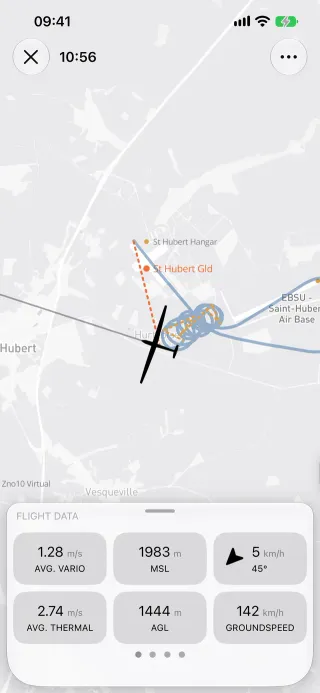
Section titled “Behaviour”- Cells for speed, altitude, vario, wind, glide ratios and distance and bearing to the target. There is no task-progress cell. Every cell’s calculation is in In flight and tools.
- The flight path, optimised path, current track and a line to the waypoint can each be shown or hidden in Settings › In-flight display (synced).
- SkySight layers can be opened from the in-flight map (SkySight forecasts).
- Part of recording, so it needs Vulture Pro (
recording).
Platform differences
Section titled “Platform differences”- Not in Android v1; Android has no In-flight display settings either (decisions §15). The in-flight visibility keys still round-trip in its synced settings.