
Import from files
| Platform | Status | Where |
|---|---|---|
| iOS | done | vulture-ios/Modules/App/Sources/Shell/Splitvulture-ios/Modules/App/Sources/Support/Documentsvulture-ios/Packages/Persistence/Sources/Persistence/DataManager.swift |
| Android | done | vulture-android/feature/importvulture-android/data/dbFolder and ZIP import are Android only (decisions §6). |
Behaviour
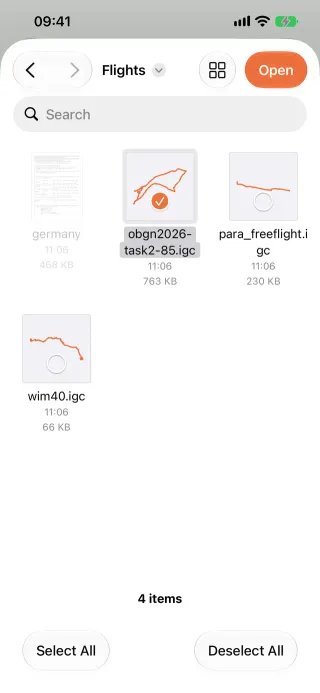
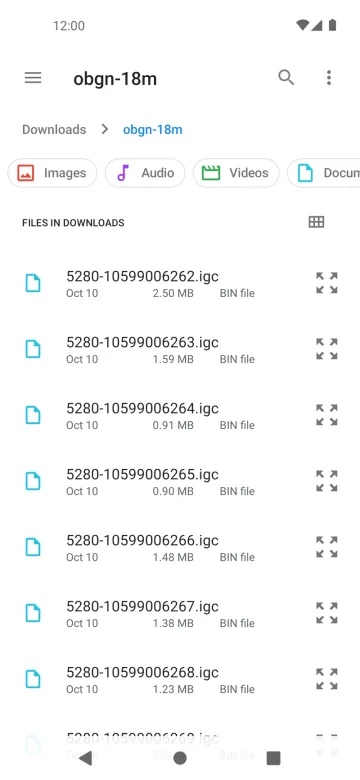
Section titled “Behaviour”- Pick one or more files with the document picker: IGC flights, SeeYou CUP waypoints and tasks, and airspace files (OpenAir
.txt, openAIP.aip, SeeYou.cub). - Imported flights go into the logbook. There is no message on success; errors are shown.
- A flight imported twice (or synced twice) is de-duplicated by filename and content, and the duplicate is dropped silently.
- The Discover › Files row opens flights straight from the device’s files without importing them; they go to Recents.
Platform differences
Section titled “Platform differences”- Android can also import a whole folder or a ZIP, including the iOS “Back up all data” archive (decisions §6). Large ZIPs were fixed in build 2.
- Android drops duplicates by the IGC’s SHA-256 (the sync id); iOS uses a 64-bit FNV-1a flight identity. See Flight analysis §2.10 and Sync schema §4.
- Android caps a raw IGC import at 64 MiB (sync schema §3).
Related
Section titled “Related”- Open from other apps, Export all data
- Own airspace files, Waypoint files
- Flight screens §4 (§4.5 duplicates, §4.6 progress and errors)
- Port decisions §6