
Replay
| Platform | Status | Where |
|---|---|---|
| iOS | done | vulture-ios/Modules/App/Sources/Map/Flight/Panelvulture-ios/Packages/Preferences/Sources/Preferences/ModelsPanelContentViewController+Playback.swift, PlaySpeed.swift |
| Android | done | vulture-android/feature/flightmapvulture-android/domain/flightmapPlay is an M3 split button (D6). |
Behaviour
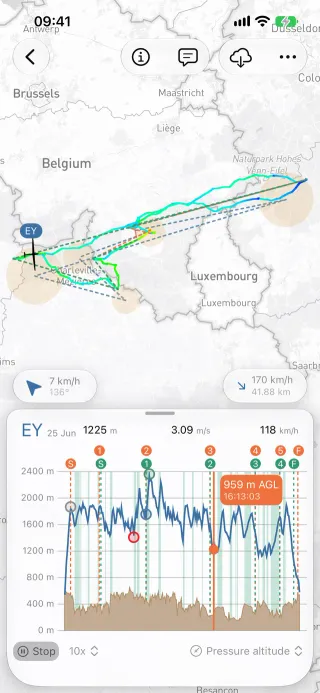
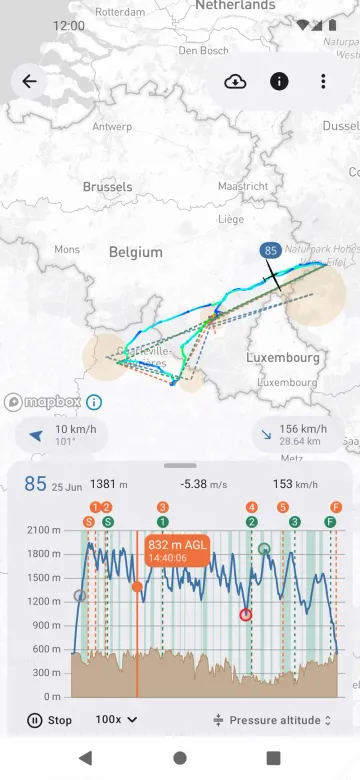
Section titled “Behaviour”- Play, pause, step and jump through a flight at 10×, 25×, 50×, 100× or 200×.
- The glider marker moves along the track; the barogram handle and the readings follow.
- With several flights on the map all gliders move together, optionally aligned on the task start (Several flights on one map).
- The play speed is a local preference (default 10×).
Platform differences
Section titled “Platform differences”- Android’s Play control is a Material 3 split button with the speed in its menu (decisions §8 D6).
- Android does not restore the replay time after the process is killed.